
Resources
How to set up an SDS binder that people can actually use
Give the safety data sheets for your cleaning and maintenance products one home: a readable cover, a product index, tabs that fit your building and a simple upkeep routine, with a free printable kit.
Printable template
One binder for every product on the shelf
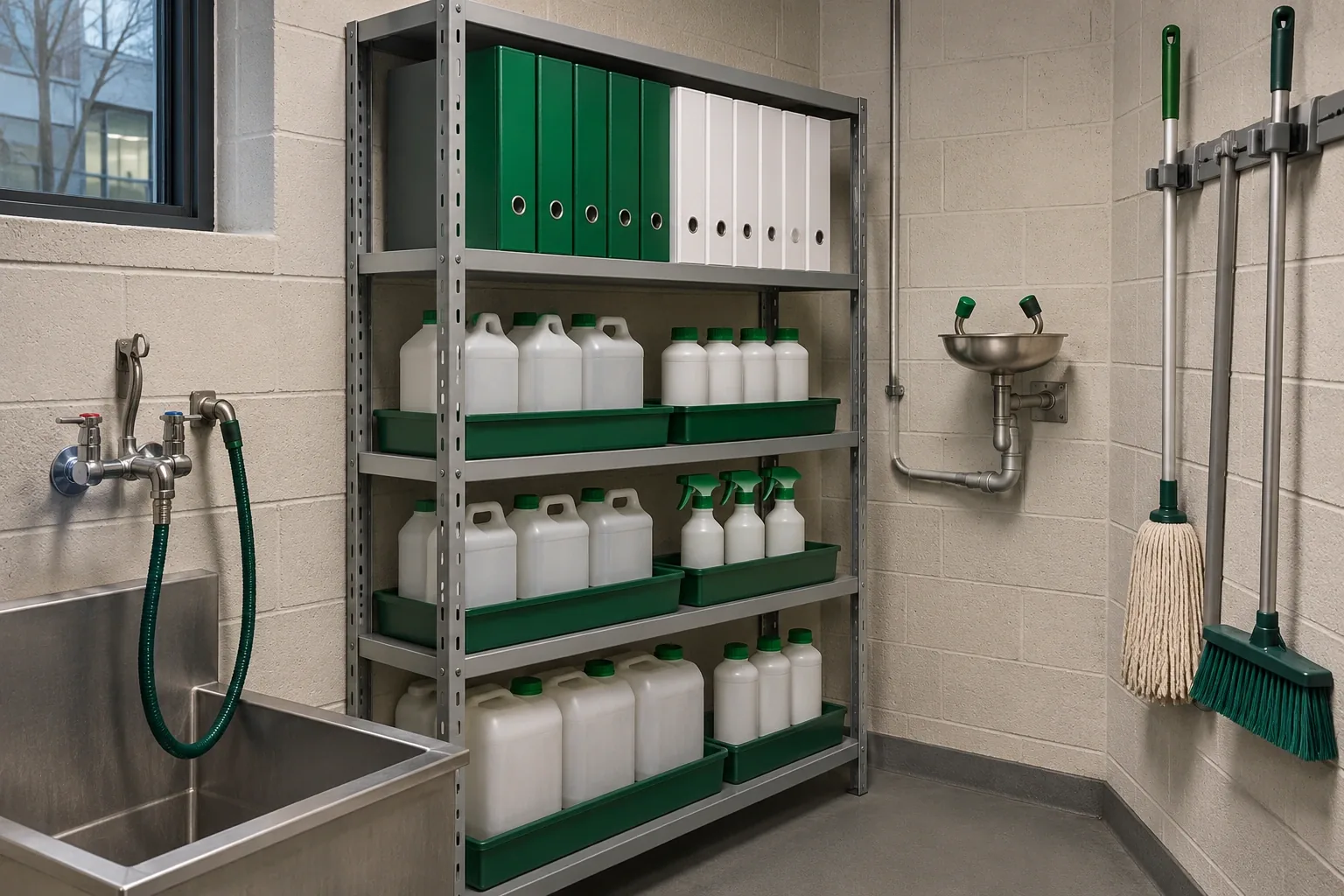
An SDS binder is where a building keeps a safety data sheet for every cleaner, floor finish and maintenance chemical stored on the property. Picture the bowl cleaner below a restroom basin, the finish drum in the storage room and the glass spray riding on the porter cart: each one has a sheet, and the binder holds them all in a predictable order. When the pages are filed the same way every time, a person who needs one in a hurry finds it in seconds instead of opening drawers or digging through old delivery emails.
Our printable kit supplies the structure. It has a cover block, a product index, a tab choice and two short checklists, one for the first setup and one for upkeep. Fill it in with a pen or type into the Word version, then slip it in at the front of the binder. It is a plain download, free to use as it is.
The kit organizes; it does not decide what your workplace needs. That call belongs to your company’s own hazard-communication program, so check with whoever owns it, often a safety lead, office manager or facilities director, before you settle the details.
A cover that answers the first questions
Someone who picks up the binder wants to know four things straight away, and the cover block puts each one on its own line.
- Facility: the building or suite name, which matters most when a company runs more than one site.
- Binder location: the exact shelf or wall pocket, written plainly, such as “janitor’s closet, second floor, left of the door”.
- Kept by: the person in charge of filing, listed by job title so the line survives staff changes.
- Last reviewed: when someone last went through the whole binder against the shelves.
Keep the cover short and the handwriting large. A cover crowded with notes is a cover nobody reads.
Walk the building to fill in the index
Think of the index as a map of the binder, with one row per product pointing to where its sheet is filed. On the printable it has five headings.
- Product (as labeled): the name exactly as it reads on the container, so the bottle and the index match.
- Maker: the company that produces it, which settles any mix-up between two similar names.
- Used in: the rooms or jobs it serves, such as restrooms, the kitchen, floors or lobby glass.
- Sheet date: copied from the page you have on file, so an outdated version stands out during a review.
- Tab: the section where the sheet lives.
The quickest way to complete it is a single walk with the blank index on a clipboard. Open each supply closet, the cabinet under every breakroom and restroom sink, and the shelves where carts get restocked. Every container you find earns a row. When a product has no sheet in the binder yet, mark the row and ask whoever supplied the product for a copy. The setup checklist on the sheet follows the same steps.
Pick one tab system and stick with it
Tabs split the binder into sections. The printable offers three systems to tick, and the best one depends on who opens the binder most often.
- Alphabetical by product name: the easiest to keep, and best when readers know the name on the bottle.
- By area of the building: restrooms, kitchen, floors, general cleaning and maintenance, for someone standing in a room who wants every product used there.
- By product type: glass and surface cleaners, floor products, disinfectants and restroom products, handy in buildings with long supply shelves.
Tick your choice on the sheet so the next person files new pages the same way. A binder that mixes two systems sends readers to the wrong section.
Give the binder a fixed home
The binder belongs where the products are, or close by, and it should stay there. A wall pocket inside the main janitor’s closet, a labeled shelf in the facilities office or a spot beside the chemical storage cabinet all work well. Buildings with several floors or a separate warehouse area often keep one binder per area, each with its own cover and index.
Once the spot is chosen, record it in the Binder location line and make sure everyone who handles the products knows it: your own staff, the day porter and the evening crew. A binder only one person can find is little help on the day that person is out.
Upkeep that takes minutes
Sheets go out of date quietly, so tie each update to an event rather than to someone’s memory.
- A new product arrives: file its sheet, add a row to the index and note the tab.
- A product is retired: pull its sheet and strike its row.
- A regular review, such as once a quarter: compare the shelves with the index, then write the new date beside Last reviewed.
The upkeep checklist on the printable adds three quick checks to each review: every tab still labeled and in order, a spare blank index page at the back for the next delivery, and the binder returned to the spot named on the cover.
Where Aeroso fits
Our crews work in and around your supply closets on every visit, so a binder kept there sits in plain view of the people using the products. During the walkthrough before service begins, show us where your binder is kept and we will add it to the visit notes alongside the closet, storage and access details.
Planning recurring janitorial service, day porter rounds or disinfection work in Redwood City or Menlo Park? Book a free walkthrough with Aeroso, get your quote in writing, and we will build the visit around how your rooms are actually used.
Common questions
Which pages belong in the binder besides the sheets?
Up front, a cover with the facility, location, keeper and review date, followed by a product index. Tab dividers then split the sheets into sections. The printable kit supplies the cover block, the index grid and two short checklists to go with them.
How should the tabs be organized?
Alphabetical by product name is the easiest to maintain. Sorting by area suits people who look for products room by room, and sorting by product type suits buildings with large supply rooms. Choose one system and tick it on the sheet so everyone files pages the same way.
When is a full review worth doing?
Pick a fixed point, once a quarter for example, and walk the storage areas with the index in hand, matching each container to its row. Then date the Last reviewed field on the cover. In the weeks between, add a row for each new product and strike the row of any product you stop using.
Can I change the kit before I print it?
Yes. Download the Word version instead of the PDF and you can lengthen the index, rename the areas, or print extra index pages for a big building.
Does the binder need its own spot in every building?
Each building should have at least one binder in a fixed, labeled place near the products. Larger buildings and sites with a separate warehouse area often keep one per floor or area, each with its own cover.
Resources